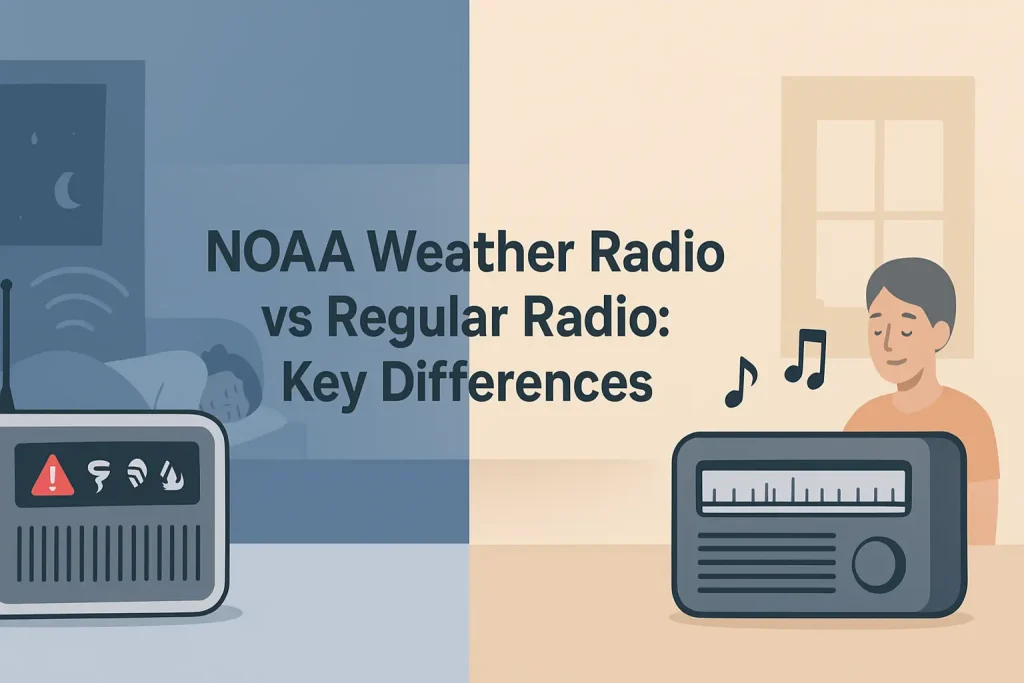
Programming SAME codes on your weather radio stops useless midnight alerts for counties 50 miles away and limits warnings to your exact location. NOAA Weather Radio All Hazards broadcasts on seven frequencies between 162.400 and 162.550 MHz, but without SAME (Specific Area Message Encoding) technology, your radio alerts for every county in your transmitter’s coverage area.
A 6-digit SAME code tells your radio which county or parish matters to you. The Midland WR400 weather radio programs up to 50 of these codes, so you can monitor your home county plus adjacent counties where storms typically travel from.
| Photo | Popular Portable Walkie Talkies | Price |
|---|---|---|
 | SKIWARRIOR Multifunctional Smart Wireless Ski Goggles with Walkie-Talkie, Anti-Fog Zeiss Lens, Music & Call Function (Cylindrical Blue) | Check Price On Amazon |
 | SINORISE Super Mini Walkie Talkies, Two-Way Radios, 3 Pack | Up to 12 Hours Battery Life, for Baseball Coaches, Restaurants, Retail Stores, Hospitals, Outdoor Sports & Travel | Check Price On Amazon |
 | KOSPET Tank M4C Smart Watch Rugged, Dual-Band GPS, 5ATM & IP69K Waterproof | 1.96" AMOLED Display, 170+ Sport Modes, Built-in LED Flashlight/Walkie-Talkie, Heart Rate/Sleep Monitor for Android & iPhone | Check Price On Amazon |
 | Retevis RT15 Walkie Talkies 3 Pack, Birthday Gift, Outdoor Adventure Kit | Durable, Lightweight, VOX, Key Lock, Mini Walkie Talkies for Adults, School Family Outdoor Travel Camping Hiking | Check Price On Amazon |
 | Rechargeable Walkie Talkies Toys for Kids: DIY Astronaut Walkie Talkies for Boys Christmas Birthday Gifts for 3 4 5 6 7 8 9 10 Boy Walkie Talkie Outdoor Hiking Toy 2 Way Radio Camping Outdoor Game | Check Price On Amazon |
By the Numbers
SAME Weather Radio Programming – Key Specifications and Standards
Sources: NOAA NWR documentation, FEMA EAS Handbook
What Is a SAME Code and Why Does It Matter for Weather Alerts?
SAME (Specific Area Message Encoding) is a digital protocol created by the National Weather Service that assigns a unique 6-digit FIPS code to every county and parish in the United States. Your weather radio reads this code at the start of every alert broadcast and compares it to the codes you programmed.
If the incoming code matches one in your radio’s memory, the alert sounds. If it does not match, the radio stays silent and you sleep through the night.
Without SAME programming, your radio acts like a dumb receiver that triggers on every alert within the transmitter’s 40-mile radius. According to NOAA NWR documentation, a single transmitter typically covers multiple counties, which means you could hear tornado warnings for areas two hours away from your location.
This happens because NOAA weather radio transmitters operate on VHF frequencies between 162.400 and 162.550 MHz, and VHF signals propagate over long distances with minimal terrain obstruction. This only becomes a problem when your radio lacks SAME filtering or when you have not entered any location codes at all.
If no SAME codes are programmed, the result is alert fatigue (you start ignoring the radio) or alert anxiety (you wake up every time a distant storm triggers the siren). Fix it by entering at least your home county code and the codes for adjacent counties.
Breaking Down the 6-Digit FIPS Code Structure
Every SAME code follows the same structure: the first digit identifies the subdivision, the next two digits identify the state, and the final three digits identify the county or parish. For example, the code 048201 breaks down as 0 (entire county), 48 (Texas), and 201 (Harris County).
The leading digit is almost always 0, which means the entire county. A leading 1 means the eastern half of the county, and a leading 2 means the western half. Most users should use 0 as the first digit for full county coverage.
You can find your specific code using our SAME weather radio codes database, which lists every FIPS code by state and county. The National Weather Service also publishes these codes on their official NWR county coverage page.
How to Find Your Correct SAME Code Before Programming
Finding your correct SAME code requires your state name and county or parish name. The NOAA National Weather Service maintains a complete database of FIPS codes mapped to every NWR transmitter frequency in the country.
Visit the NWR All Hazards county coverage list on the NOAA website. Select your state from the dropdown, then locate your county in the table. The 6-digit code in the SAME column is what you enter into your radio.

Write down your home county code and the codes for every county that borders yours. Storm systems often trigger warnings across county lines, and programming adjacent counties gives you a 15 to 30 minute heads-up before a storm reaches your location.
Method 1: NOAA County Coverage Database
The fastest way to find your code is the NOAA NWR county coverage database. Go to weather.gov/nwr/counties, click your state, and find your county in the table. The SAME column shows your 6-digit FIPS code.
This database also shows which transmitter covers your county and what frequency (in MHz) that transmitter uses. You need both pieces of information to program your radio correctly.
Method 2: Searching by ZIP Code
Some weather radio manufacturers offer ZIP code lookup tools on their websites. Enter your 5-digit ZIP code, and the tool returns your county FIPS code plus the correct NOAA frequency for your area.
This method works well if you live near a county border and want to verify which transmitter provides the strongest signal for your specific location.
Method 3: Checking Your Radio’s Built-in Code List
Some weather radios, such as the Midland WR120, include a printed code list in the user manual. If you have the manual, check the back pages for a state-by-state code table.
If you lost the manual, you can usually download a PDF version from the manufacturer’s website. Search for your model number plus “user manual PDF” to find it.
Understanding the basics of NOAA weather radio and how alerts work helps you make better decisions about which codes to program and which alert types to enable.
How to Program SAME Codes on Midland Weather Radios
Programming SAME codes on a Midland weather radio requires navigating the menu system using the front panel buttons. The process takes about 5 minutes per radio and works the same way on the WR120, WR300, and WR400 models.
Press the MENU button on your Midland radio to enter the setup mode. Use the UP and DOWN arrow keys to scroll through the menu options until you see “SAME SET” on the display.
Step-by-Step Guide
How to Program SAME Codes on a Midland Weather Radio
7 steps – Estimated time: 5 minutes
Press MENU on the front panel
This opens the main settings menu on the LCD display. You will see “WEATHER CHANNEL” as the first option.
Scroll to SAME SET using UP and DOWN arrows
Press DOWN three or four times until “SAME SET” appears on the screen. Press SELECT to enter the SAME programming submenu.
Choose SINGLE, MULTIPLE, or ANY
Select SINGLE for one county code, MULTIPLE for up to 25 codes on the WR400, or ANY to receive all alerts without filtering. Most users should choose MULTIPLE.
Select SAME 01 and press SELECT
The radio shows an empty field with 6 dashes. This is where you enter your first county FIPS code.
Enter your 6-digit SAME code using UP and DOWN
Use UP to increase each digit and DOWN to decrease it. Press SELECT to advance to the next digit. Repeat until all 6 digits are entered.
Press SELECT to save the code
The radio stores the code in memory slot 01. If you selected MULTIPLE mode, scroll to SAME 02 and repeat for additional counties.
Press MENU twice to exit and confirm the frequency
The radio returns to normal standby mode. Verify the display shows your local NOAA frequency (such as 162.550 MHz) and the SAME icon appears on screen.
The Midland WR400 stores up to 50 SAME codes across memory slots 01 through 50. The Midland WR120 supports up to 25 codes, which covers most users’ needs for home county plus surrounding areas.
Midland differs from other weather radio brands in its menu navigation structure and the number of programmable code slots. The programming logic is the same across all models, but the button layout and display prompts vary between the WR120, WR300, and WR400.
Programming Multiple County Codes on Midland WR400
To program multiple counties, select MULTIPLE mode in step 3 and repeat steps 4 through 6 for each additional code. The WR400 labels these slots SAME 01 through SAME 50, so you can enter up to 50 different county codes.
Most users need 3 to 5 codes: your home county plus 2 to 4 adjacent counties where storms typically originate. If you live in a coastal area, include all counties along your evacuation route so you receive warnings while driving inland.
Setting up your radio correctly means understanding how SAME technology filters emergency alerts at the digital protocol level, not just at the radio interface level.
How to Program SAME Codes on Uniden Weather Radios
Programming SAME codes on Uniden weather radios follows a similar logic but uses a different menu structure. The Uniden BC365CRS and similar models use a MENU button plus numeric keypad for code entry.
Press MENU, then scroll to the WX ALERT option. Select SAME CODE SETUP, then choose one of the 10 available memory slots numbered 1 through 10.
Uniden allows direct numeric entry, which speeds up the process compared to Midland’s single-digit scrolling method. Type your 6-digit FIPS code using the numeric keypad, then press ENTER to save.
Press MENU to exit. The radio returns to normal mode and the display shows the SAME indicator confirming that alert filtering is active.
Key Specifications: Uniden BC365CRS
- Frequency: 162.400-162.550 MHz (7 NOAA channels)
- SAME code slots: 10 programmable locations
- Alert types: 79 programmable alert codes
- Power: AC adapter plus 4x AA battery backup
- Code entry: direct numeric keypad input
Uniden weather radios differ from Midland models in code entry speed (keypad vs. scrolling), number of code slots (10 vs. 25-50), and alert customization options. The underlying same protocol and FIPS code format are identical across all brands.
How to Program SAME Codes on Reecom and Sangean Weather Radios
Reecom weather radios use a menu system accessed through a SET button. Press SET, scroll to SAME CODE, then enter your 6-digit code using the numeric keypad. The Reecom R-1630C supports up to 23 programmable SAME codes.
Sangean weather radios like the Sangean CL-100 use a rotary dial for navigation. Turn the dial to access the MENU, then scroll to ALERT SETUP and select SAME CODE. Enter your code using the numeric buttons and press the dial to confirm.
Both brands follow the SAME protocol and use the same 6-digit FIPS codes you find in the NOAA database. The only difference is the button layout and menu labels.
How to Program SAME Codes on Portable and Hand-Crank Weather Radios
Portable weather radios with SAME capability, such as the Midland HH50 pocket radio, offer simplified programming with fewer code slots. These compact radios typically store 1 to 3 SAME codes to conserve memory.
Press and hold the MENU button until “SAME” appears on the display. Use the scan button to cycle through digits, then press MENU to advance to the next digit. Once all 6 digits are entered, press and hold MENU to save and exit.
Hand-crank weather radios like the Eton FRX3+ may require you to enter SAME codes through a settings menu while the radio is powered on. The hand-crank and solar charging systems do not affect the programming process.
Key Specifications: Midland HH50
- Frequency: 162.400-162.550 MHz (7 NOAA channels)
- SAME code slots: 1 programmable location
- Power: 3x AAA batteries
- Alert siren: 90 dB at 1 meter
- Dimensions: 2.75 x 1.5 x 4.75 inches
Portable radios sacrifice code storage capacity for size and battery life. If you need more than 3 county codes, consider a desktop model instead.
Which SAME Code Should You Use: Full County or Partial County?
Use the full county code (starting with 0) for nearly all situations. The partial county codes (starting with 1 for east or 2 for west) only matter in rare cases where your county is split between two NOAA transmitters covering different halves.
The full county code ensures you receive every alert for your entire county, including warnings that may start in the opposite half and move toward your location. Partial county codes risk missing alerts if a storm crosses the county dividing line.
The difference between weather watches, warnings, and advisories determines how urgently you should react. SAME codes control which geographic alerts you receive, while the alert type controls how the radio sounds and whether it overrides silent mode.
Troubleshooting Common SAME Programming Problems
The most common SAME programming problem is entering the wrong number of digits. FIPS codes are always exactly 6 digits, and your radio will reject incomplete codes or fill remaining slots with zeros, which could match the wrong county.
Double-check each digit against the NOAA database before pressing save. One wrong digit mean your radio monitors a different county entirely.
Problem: Radio Still Alerts for Other Counties
If your radio alerts for counties you did not program, check whether the SAME SET mode is set to ANY instead of SINGLE or MULTIPLE. ANY mode disables filtering and triggers on all alerts.
This happens because the ANY setting bypasses the code comparison logic entirely, causing every incoming SAME signal to activate the alarm. Fix it by changing from ANY to MULTIPLE and confirming your codes are saved in the memory slots.
Problem: Radio Does Not Alert for Your County
If your radio fails to alert for your own county, verify that your 6-digit code is correct and that the radio is tuned to the right NOAA frequency. Your local transmitter might broadcast on 162.475 MHz while your radio is set to 162.550 MHz.
Press the WEATHER button to cycle through all 7 NOAA frequencies and listen for the clearest broadcast. Static or weak signal on the wrong frequency prevents the radio from decoding the SAME header, even if your code is correct.
Problem: SAME Code Entry Buttons Do Not Respond
Non-responsive buttons usually mean the radio is in alert mode rather than programming mode. Exit any active alert by pressing the appropriate button (usually WEATHER or MENU), then try entering the programming menu again.
If the buttons remain unresponsive, replace the backup batteries. Some radios lock out menu access when battery voltage drops below a threshold to conserve power for critical alerts.
How to Test Your SAME Programming
Testing your SAME programming confirms that your radio will alert correctly during an actual emergency. NOAA broadcasts weekly test alerts every Wednesday between 10 AM and noon local time, weather permitting.
Leave your radio on during the weekly test window. If your radio is programmed correctly, it will receive the Required Weekly Test (RWT) alert for your county and display “TEST” or “RWT” on the screen.
If the test does not trigger, check your frequency setting and SAME code. You can also verify your setup by reviewing our guide on how to use a weather radio for reliable alerts.
What Alert Types Should You Enable After Programming SAME Codes?
After programming your SAME codes, configure which alert types trigger the siren on your radio. Most weather radios let you enable or disable individual alert categories such as tornado warnings, flash flood warnings, and AMBER alerts.
At minimum, enable Tornado Warning, Severe Thunderstorm Warning, Flash Flood Warning, and Evacuation Immediate. These four alert types pose the greatest immediate threat to life and property.
Disable alerts for events that do not apply to your area, such as Avalanche Warning if you live in Florida. This reduces unnecessary alerts without missing critical warnings.
You can also set the alert mode to VOICE (radio speaks the alert) or SIREN (loud tone) depending on your preference. For overnight use, choose a mode that will wake you but not panic children.
Do You Need to Reprogram SAME Codes After Moving?
Yes, you must reprogram your SAME codes every time you move to a new county. The FIPS code is tied to your geographic location, not to the radio itself.
When moving to a new state, you also need to change the NOAA frequency your radio monitors. Use the NOAA coverage database to find the correct frequency for your new location, then program the new SAME code following the same steps in this guide.
SAME Programming for Travel: Can You Use Codes for Multiple States?
Yes, you can program SAME codes for multiple states on radios with MULTIPLE mode. This is useful if you travel frequently or maintain a vacation home in another state.
Enter the codes for your home county and your travel destination counties using the same programming steps. The radio monitors all programmed codes simultaneously, regardless of which state they belong to.
Keep in mind that your radio only receives alerts from the NOAA transmitter it is currently tuned to. If you travel outside the 40-mile range of your programmed transmitter, you need to retune the radio to the local frequency for that area.
Choosing the Right Weather Radio for SAME Capabilities
Not all weather radios support SAME technology. Basic models receive the NOAA broadcast but cannot filter alerts by county. You need a radio with a SAME decoder chip and programmable memory slots.
If you are still deciding which radio to buy, our guide to the best weather radios compares models by SAME code capacity, power options, and price. For SAME-specific recommendations, see our list of the best weather radios with SAME technology.
For detailed frequency information across all NOAA transmitters, check our reference on NOAA weather radio frequencies and channel assignments.
Can I Program SAME Codes Without the Manual?
Yes, you can program SAME codes without the manual by following the generic steps in this guide. The menu labels vary slightly between brands, but the core process is the same: access the menu, find the SAME or FIPS code setting, enter your 6-digit code, and save.
Look for buttons labeled MENU, SET, or PROGRAM on your radio’s front panel. If none of these exist, try pressing and holding the WEATHER button for 3 seconds to access advanced settings. Write down your county code before starting so you can enter it without interruption.
What Happens If I Enter the Wrong SAME Code?
Entering the wrong SAME code means your radio monitors a different county than intended. You will either receive alerts for an area that does not affect you, or you will miss alerts for your actual location.
The fix is simple: access the SAME programming menu, overwrite the incorrect code with the correct 6-digit FIPS code, and save. Test the new code during the next NOAA weekly test (every Wednesday between 10 AM and noon).
If you entered a code that does not exist in the NOAA database, the radio stores it but never matches an incoming alert. The radio stays silent for all alerts, which is the most dangerous failure mode. Always verify codes against the NOAA county coverage list.
Does SAME Filtering Work on All NOAA Alert Types?
SAME filtering works on all alerts transmitted through the NOAA Weather Radio system, including tornado warnings, flash flood warnings, AMBER alerts, and civil emergency messages. The FIPS code in the SAME header applies to every alert type equally.
However, some alert types (like the National Periodic Test and Emergency Action Notification) are broadcast with a special SAME code that overrides your filter settings. These national-level alerts trigger your radio regardless of which county codes you programmed.
Will SAME Codes Work if the Power Goes Out?
SAME codes are stored in non-volatile memory and survive power outages. Your radio retains all programmed codes even if it loses AC power and the backup batteries die.
However, the radio cannot receive alerts without power. Keep fresh backup batteries installed at all times. The Midland WR400 uses 6x AA batteries, while the WR120 uses 4x AA batteries. Replace them every 6 months as part of your emergency preparedness routine.
Can I Program SAME Codes on a Scanner Radio?
Many scanner radios, such as the Uniden BCD396XT, support SAME decoding on NOAA weather channels. The programming process uses the scanner’s menu system rather than dedicated weather radio buttons.
Access the scanner’s weather menu, select SAME CODE, then enter your 6-digit FIPS code. Scanner radios typically offer fewer code slots (1 to 5) than dedicated weather radios, but the filtering logic is identical.
How Often Should I Update My SAME Codes?
You only need to update your SAME codes when you move to a new county or when you want to add or remove adjacent county monitoring. The FIPS codes assigned by NOAA do not change for existing counties.
Review your programmed codes once per year as part of your emergency preparedness checklist. Confirm that the codes match your current location and that the NOAA frequency is still the clearest channel in your area.
Programming SAME codes on your weather radio is the single most important step you can take to receive relevant, life-saving weather alerts without alert fatigue. Enter your home county code plus 2 to 4 adjacent county codes using the steps in this guide, then test your setup during the next NOAA weekly Wednesday broadcast.
| Photo | TOP RATED WALKIE TALKIES | Price |
|---|---|---|
 | Retevis RT628 Kids Walkie Talkies, Toys Gifts for 4-12 Year Old Girl Boy | Kids Camping Essentials Outdoor Toys, Birthday Gift, 22CH, VOX, Keypad Lock, Durable, Easy to Use Walkie Talkies for Kids | Check Price On Amazon |
 | Cobra ACXT545 Weather-Resistant Walkie Talkies, Rechargeable, 22 Channels | Long Range 28-Mile Two-Way Radio Set (2-Pack) | Check Price On Amazon |
 | Retevis RT388 Kids Walkie Talkies, Outdoor Toys for Kids Camping Essentials | 4-12 Year Old Boy Birthday Gift, 22 CH VOX Flashlight Clear Sound, Kids Walkie Talkies 2 Pack for Camping Hiking Adventure | Check Price On Amazon |
 | Cobra RX680 Walkie Talkies (2-Pack), IP54 Water Resistant Design | Rugged & Splashproof Two Way Radios Long Range, 60 Pre-Programmed Channels, Weather Alerts | Check Price On Amazon |
 | Retevis RT22 Walkie Talkies Long Range Rechargeable with Earpiece (2 Pack) | Slim & Lightweight 2 Way Radio For Camping & Hiking, Pocket-Friendly Antenna, Ready to Use, 10-Hour Battery, USB-C Charging | Check Price On Amazon |
 | Midland GXT1000VP4 GMRS Two-Way Radios with Headsets, Black, 2 Pack | 50 Channels, 142 Privacy Codes, Up to 36 Mile Long Range, JIS4 Water Resistant, NOAA Weather Alert, Rechargeable NiMH | Check Price On Amazon |
 | Retevis RT628 Walkie Talkies for Kids,Toys Gifts for 6-12 Years Old Boys Girls,Long Range 2 Way Radio 22CH VOX,Birthday Gift,Family Walkie Talkie for Camping Hiking Indoor Outdoor | Check Price On Amazon |