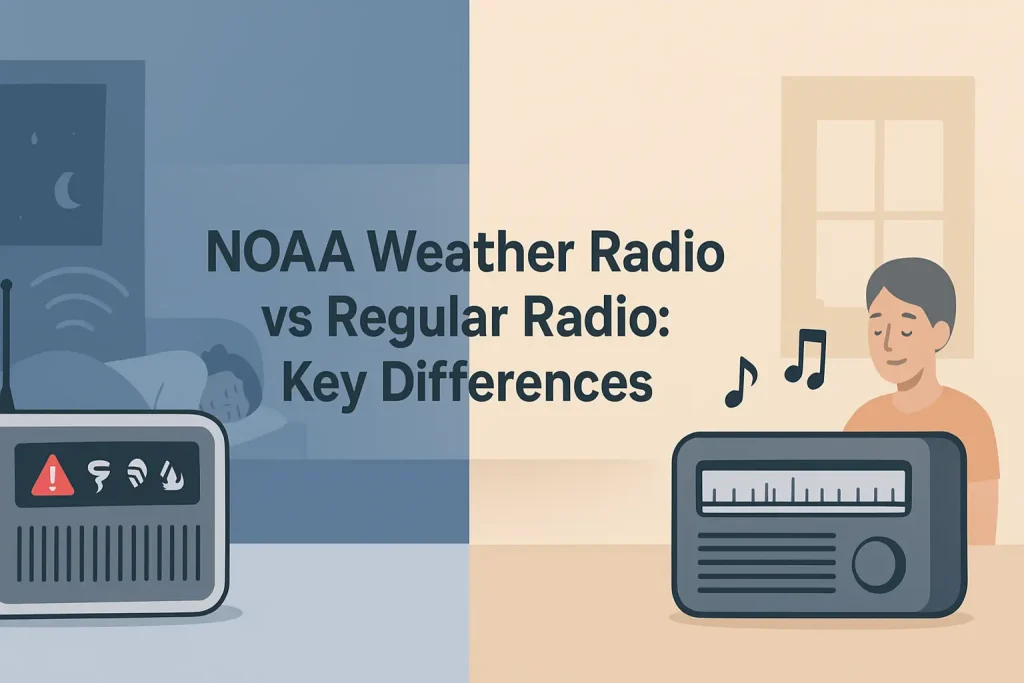
Programming a Midland weather radio takes about 10 minutes, but most people never finish the job correctly. They power it on, hear static, and assume it is working. It is not. Without a programmed S.A.M.E. code (Specific Area Message Encoding), your radio will sound every alert broadcast across your entire state, not just the warnings that affect your county.
This guide covers every Midland weather radio model that uses manual keypad programming, including the WR120B, WR300, WR400, and WR120EZ. You will set the NOAA channel, program your S.A.M.E. county code, select your alert types, and test the alarm before a real emergency triggers it.
| Photo | Popular Portable Walkie Talkies | Price |
|---|---|---|
 | SKIWARRIOR Multifunctional Smart Wireless Ski Goggles with Walkie-Talkie, Anti-Fog Zeiss Lens, Music & Call Function (Cylindrical Blue) | Check Price On Amazon |
 | SINORISE Super Mini Walkie Talkies, Two-Way Radios, 3 Pack | Check Price On Amazon |
 | KOSPET Tank M4C Smart Watch Rugged, Dual-Band GPS, 5ATM & IP69K Waterproof | Check Price On Amazon |
 | Retevis RT15 Walkie Talkies 3 Pack, Birthday Gift, Outdoor Adventure Kit | Check Price On Amazon |
 | Rechargeable Walkie Talkies Toys for Kids: DIY Astronaut Walkie Talkies for Boys Christmas Birthday Gifts for 3 4 5 6 7 8 9 10 Boy Walkie Talkie Outdoor Hiking Toy 2 Way Radio Camping Outdoor Game | Check Price On Amazon |
By the Numbers
Midland Weather Radio Programming – Key Facts and Specifications
Sources: NOAA National Weather Service, FCC Part 11 (EAS), Midland Radio technical documentation
What Is S.A.M.E. Technology and Why Does It Matter for Midland Weather Radios?
S.A.M.E. stands for Specific Area Message Encoding. It is a digital header signal that NOAA transmits before every alert, identifying which counties or zones the warning covers.
A Midland weather radio with S.A.M.E. decoding reads that digital header and compares it against the county codes you have programmed. If your code matches, the alarm sounds. If it does not match, the radio stays silent.
Without a programmed S.A.M.E. code, the radio defaults to broadcasting every alert on the channel, which means you will hear tornado warnings for counties 200 miles away at 3 a.m. According to NOAA National Weather Service documentation, the NWR All Hazards network broadcasts on seven frequencies and covers over 1,000 counties, which makes county-level filtering essential for practical daily use.
Every Midland weather radio sold in the last decade supports S.A.M.E. programming. The process differs slightly between models, but the core sequence is identical: set the channel, enter your county FIPS code, choose your alert types, and set the alarm mode.
Without S.A.M.E. programming, your Midland weather radio is functional but not useful for sleeping through irrelevant alerts in distant counties.

How to Find Your S.A.M.E. County Code Before You Start Programming
Your S.A.M.E. code is a 6-digit FIPS (Federal Information Processing Standards) number assigned to your specific county by the federal government. You must have this number before you begin programming your Midland radio.
The fastest way to find your code is to visit the NOAA Weather Radio S.A.M.E. code lookup page at weather.gov/nwr/counties. Enter your state and county name, and the tool returns your exact 6-digit code.
The code format is always: 2-digit state number + 3-digit county number. For example, Cook County, Illinois uses the code 017031. The leading zero is part of the code and must be entered correctly.
Write your code down before touching the radio. Midland programming menus time out after a few seconds of inactivity, and having to look up your code mid-sequence forces you to start over.
If you live near a county line or want alerts from a neighboring county, find that county’s FIPS code as well. Models like the Midland WR400 weather radio can store up to 50 separate S.A.M.E. codes, letting you monitor multiple counties simultaneously.
Having your FIPS code ready before you start is the single step that prevents the most frustration during programming.
Step-by-Step: How to Program the Midland WR120B Weather Radio
The Midland WR120B is one of the most common entry-level NOAA weather radios sold in the US. It supports S.A.M.E. programming for up to 25 alert types and stores one S.A.M.E. location code.
Key Specifications for the Midland WR120B:
- Frequency coverage: 162.400 to 162.550 MHz (all 7 NOAA WX channels)
- S.A.M.E. alert types: 25 selectable event categories
- S.A.M.E. location codes: 1 programmable code
- Power: AC adapter with 3x AA battery backup
- Alarm modes: Alarm, Alarm plus voice, Voice only, Silent with LED flash
Here is the complete programming sequence for the WR120B.
The following widget walks you through the key steps for programming your Midland weather radio, from channel selection through S.A.M.E. code entry and alert type selection.
Step-by-Step Guide
How to Program a Midland Weather Radio – Complete Setup Sequence
8 steps · Estimated time: 10 to 15 minutes · Applies to WR120B, WR300, WR400, WR120EZ
Power on the radio and locate your NOAA channel
Plug the AC adapter into the radio and a wall outlet, then insert 3 AA alkaline batteries into the battery backup compartment on the rear. Press the power button and use the channel up or down button to scan through WX1 to WX7 until you find the channel with the strongest, clearest NOAA voice broadcast for your area.
Enter the programming menu
Press and hold the PROGRAM or MENU button for 2 to 3 seconds until the display shows the first programming option. On most WR120B units, the display will show “SAME” or “COUNTY” as the first menu item. Do not release the button early or the menu will not open.
Enter your 6-digit S.A.M.E. FIPS county code
Use the number keypad to enter all 6 digits of your FIPS county code exactly as listed on the NOAA S.A.M.E. lookup page. The display shows each digit as you press it. If you enter a wrong digit, press CLEAR or use the back button to delete it, then re-enter the correct digit before pressing ENTER or SET to confirm.
Select your NOAA broadcast channel
After confirming the county code, the menu advances to channel selection. Use the up or down arrow buttons to scroll to the WX channel number you identified in Step 1, then press ENTER or SET. The radio will lock to that channel for alert monitoring.
Select your alert event types
The menu will now cycle through up to 25 NOAA alert event types, including Tornado Warning, Severe Thunderstorm Warning, Flash Flood Warning, Hurricane Warning, and others. Press the plus or SET button to enable each alert type you want, and press the minus or SKIP button to disable alerts you do not want. Most users enable all alert types for maximum safety.
Set the alarm mode
After alert type selection, the menu moves to alarm mode. Choose from Alarm only (loud siren), Alarm plus voice (siren followed by the NOAA broadcast), Voice only (broadcast plays without siren), or LED flash only (silent visual alert). For overnight use, select Alarm plus voice so you wake up and immediately hear the specific threat details.
Confirm settings and exit programming mode
Press ENTER or SET one final time to save all settings and return to normal monitoring mode. The display should return to showing the current WX channel number and the time (if your model includes a clock). The radio is now actively monitoring for alerts on your selected channel using your programmed county code.
Run the manual alert test
Press and hold the TEST button for 2 to 3 seconds. The radio should sound the alarm tone and display the alert type on screen. If the alarm does not sound, the county code was not saved correctly. Re-enter the programming menu and repeat Steps 3 through 7. NOAA also broadcasts a weekly test signal every Wednesday between 11 a.m. and noon local time, which will trigger your radio automatically if programming was successful.
How to Program the Midland WR400 Weather Radio (Advanced S.A.M.E. Features)
The Midland WR400 is a mid-range model with significantly expanded programming capabilities compared to the WR120B. It stores up to 50 separate S.A.M.E. location codes and allows you to assign different alert types to each stored location.
Key Specifications for the Midland WR400:
- Frequency coverage: 162.400 to 162.550 MHz (all 7 NOAA WX channels)
- S.A.M.E. alert event types: 25 selectable categories
- S.A.M.E. location codes: up to 50 programmable county codes
- Display: backlit LCD with alert type readout
- Power: AC adapter with 6x AA battery backup
- Additional features: AM/FM reception, clock with alarm, color-coded alert LEDs
The WR400 programming sequence follows the same 8-step structure above, with one additional step: after entering your first county code and confirming it, the menu asks whether you want to add another location. Press the plus button to add a second county code, then repeat the county code entry process for each additional location you want to monitor.
If you live on a county line or frequently travel to nearby counties, the 50-code capacity lets you cover your entire region without losing alerts from adjacent areas. For a detailed breakdown of the WR400’s full feature set, the complete Midland WR400 specification review covers alert sensitivity, audio output, and battery backup performance in detail.
The WR400 also features color-coded LED indicators that flash different colors for different threat levels, giving you a visual alert even before the siren sounds if you happen to be in the same room.
The WR400’s 50-county storage capacity makes it the right choice for households near county or state borders where alerts from multiple jurisdictions are relevant.
How to Program the Midland WR120EZ Weather Radio
The Midland WR120EZ uses a simplified programming interface specifically designed for first-time users. Instead of scrolling through numeric codes, it uses a state-then-county menu system where you scroll to your state name, then scroll to your county name, and the radio automatically enters the correct FIPS code.
This matters because entering a wrong digit in a 6-digit FIPS code is the most common programming error on all other Midland models. The WR120EZ eliminates that error entirely by removing manual digit entry.
The state and county database is stored in the radio’s firmware. If your county is not listed (this occasionally happens with newly created counties or territories), you will need to find your FIPS code manually and switch to a WR120B or WR300 for manual entry.
The WR120EZ programming sequence:
- Press and hold the PROGRAM button until the state selection menu appears.
- Use the up or down arrow buttons to scroll to your state name, then press ENTER.
- Scroll to your county name from the list, then press ENTER to confirm.
- The radio automatically stores the correct 6-digit FIPS code for that county.
- Follow Steps 4 through 8 from the main programming sequence above to complete channel, alert type, and alarm mode setup.
The WR120EZ stores one S.A.M.E. location code, which is sufficient for most single-household users who do not need multi-county monitoring.
How to Program the Midland WR300 Weather Radio
The Midland WR300 is a portable, battery-powered model that uses the same manual FIPS code entry system as the WR120B. It does not include an AC adapter and runs entirely on 3 AA batteries, making it suitable for camping, emergency kits, and situations where wall power is unavailable.
Key Specifications for the Midland WR300:
- Frequency coverage: 162.400 to 162.550 MHz (all 7 NOAA WX channels)
- Power source: 3x AA batteries (no AC adapter)
- S.A.M.E. location codes: 1 programmable code
- Portability: handheld form factor with belt clip
Programming the WR300 follows the identical sequence as the WR120B in Steps 1 through 8 above. The only practical difference is that you must ensure fresh batteries are installed before beginning, since a low-battery condition during programming can cause the menu to reset mid-sequence.
Battery life for the WR300 in standby monitoring mode is approximately 72 hours on fresh alkaline AA batteries. For extended emergency kit storage, remove the batteries and store them separately to prevent corrosion, then reinsert them when the kit is activated.
How to Find the Best NOAA Channel for Your Location
NOAA broadcasts on seven dedicated frequencies: WX1 at 162.550 MHz, WX2 at 162.400 MHz, WX3 at 162.475 MHz, WX4 at 162.425 MHz, WX5 at 162.450 MHz, WX6 at 162.500 MHz, and WX7 at 162.525 MHz. Each transmitter covers a roughly 40-mile radius, and most populated areas are within range of at least two or three transmitters on different channels.
The correct channel for your location is the one with the clearest, strongest audio signal. Squelch noise, crackling, and dropout on a channel indicate a distant or obstructed transmitter. A clear, steady voice indicates a well-positioned local transmitter.
To find your best channel: power on the radio without entering programming mode, press the channel button to step through WX1 to WX7, and listen to the audio quality on each. Select the channel with the clearest audio and note its number before you start programming.
The NOAA transmitter locator at weather.gov/nwr/sites lists every NWR transmitter by state with its broadcast frequency, so you can look up which channels are active in your area before you even touch the radio.
Programming the wrong channel does not break the radio, but it means you may miss alerts if your selected channel experiences transmitter outages. Programming the strongest channel ensures the most reliable alert reception.
What NOAA Alert Types Should You Enable on a Midland Weather Radio?
NOAA broadcasts 25 distinct event types through the NWR All Hazards network. Midland weather radios let you enable or disable each one individually. Choosing the right set of alert types prevents alert fatigue (too many non-relevant alerts) while ensuring you never miss a life-safety warning.
Use the table below to decide which NOAA alert types to enable based on your geographic location and risk profile.
| Alert Type | Recommended For | Enable by Default? |
|---|---|---|
| Tornado Warning | All US users | Yes |
| Tornado Watch | All US users | Yes |
| Severe Thunderstorm Warning | All US users | Yes |
| Flash Flood Warning | All US users | Yes |
| Hurricane Warning | Coastal and Gulf region users | Yes (coastal) |
| Winter Storm Warning | Northern and high-elevation users | Regional |
| Civil Emergency Message | All US users | Yes |
| AMBER Alert | All US users | Yes |
| Hazardous Materials Warning | Urban and industrial area users | Optional |
| Required Monthly Test | Optional (monthly system test) | Disable for overnight |
The “Required Monthly Test” and “Required Weekly Test” alert types are the ones most likely to trigger unnecessary nighttime alarms. Disabling these in your alert type settings prevents a 1 a.m. siren during a routine system check, while all genuine life-safety warnings remain active.
Enabling all life-safety alert types and disabling only the test broadcasts is the correct default configuration for overnight use of a Midland weather radio.
How to Troubleshoot Common Midland Weather Radio Programming Problems
Programming errors on Midland weather radios fall into four categories: the alarm never sounds, the alarm sounds for the wrong counties, the radio loses its programming after a power outage, and the radio cannot find a clear NOAA channel signal.
Why Is My Midland Weather Radio Not Alarming?
If your Midland weather radio never sounds an alarm during real alerts or the weekly NOAA test broadcast, the S.A.M.E. county code is either missing or entered incorrectly. The most common cause is a mistyped digit in the 6-digit FIPS code.
Re-enter the programming menu and verify your county code digit by digit against the NOAA S.A.M.E. lookup page. Pay special attention to leading zeros, which are part of the code for many counties and are commonly skipped by first-time programmers.
A second possible cause is that the alarm mode was set to LED only, which gives a visual flash but no audio. Check the alarm mode setting and switch it to Alarm plus voice.
Why Is My Weather Radio Sounding Alerts for the Wrong Counties?
This happens because the S.A.M.E. code entered does not match your county. It matches a different county with a similar FIPS number. The result is that you receive that county’s alerts instead of your own.
Look up your correct FIPS code at weather.gov/nwr/counties, compare it against what is stored in the radio, and re-program if they do not match exactly.
Why Does My Midland Radio Lose Programming After a Power Outage?
Entry-level Midland models without a battery backup will lose all programming when AC power is interrupted. This happens because the radio’s memory is not non-volatile on these models. It requires continuous power to retain settings.
The fix is to install fresh AA batteries in the battery backup compartment before programming. With batteries installed, the radio retains its settings during power outages. Without batteries, every outage resets the radio to factory defaults and requires complete reprogramming.
Why Is My Midland Weather Radio Getting Poor Signal or Static?
Poor signal on a Midland weather radio is almost always a channel selection problem, not a hardware failure. The radio is locked to a NOAA channel with a weak or distant transmitter.
Enter monitoring mode (not programming mode), step through all seven WX channels, and compare audio quality. Switch to the channel with the clearest signal, then re-enter programming mode to update your channel selection setting. Building materials and antenna placement also affect signal quality. Moving the radio closer to an exterior wall or window can improve reception by 20 to 30 percent in concrete or masonry buildings.
How to Set Up Battery Backup on a Midland Weather Radio
Battery backup ensures your Midland weather radio continues to function and sound alerts during power outages, which are common during the same severe weather events the radio is designed to warn you about. The battery backup compartment is a separate slot from the main power path, not an alternative to AC power during normal operation.
For the WR120B and WR400, open the battery compartment on the rear of the unit and insert 3 or 6 AA alkaline batteries, depending on the model. The batteries do not power the radio during normal AC operation. They activate automatically when the AC power is interrupted.
Use alkaline batteries, not rechargeable NiMH batteries, for the backup compartment. Rechargeable batteries have a lower resting voltage (1.2V vs 1.5V for alkaline) that can cause the radio to read a false low-battery condition and shut down prematurely during an outage.
Test the battery backup annually by unplugging the AC adapter while the radio is in monitoring mode and verifying that the radio continues to operate normally. Replace the batteries every 12 months regardless of the low-battery indicator, since backup batteries that sit unused for long periods can corrode and leak inside the compartment.
For a deeper look at how weather radios perform across different power scenarios and feature tiers, the weather radio selection guide covering battery backup, S.A.M.E. tiers, and alert sensitivity compares entry-level through professional-grade models side by side.
Fresh alkaline batteries installed before programming is the single most important hardware step for reliable emergency performance on any Midland weather radio.
Quick Reference: Midland Weather Radio Programming Terms Explained
The following terms appear throughout the programming process. Each one is defined here in plain language for first-time programmers.
Weather Radio Programming Terminology
S.A.M.E. (Specific Area Message Encoding): A digital code transmitted before every NOAA alert that identifies which counties the warning covers. Your radio reads this code and only sounds the alarm if your programmed county code matches.
FIPS code: Federal Information Processing Standards code. A 6-digit number assigned to every US county and zone. This is the number you enter into the S.A.M.E. programming menu. Find yours at weather.gov/nwr/counties.
WX channel: One of the seven dedicated NOAA weather radio broadcast frequencies between 162.400 and 162.550 MHz. Your radio can receive all seven but should be programmed to the strongest one in your area.
Alert event type: A specific category of NOAA warning, such as Tornado Warning or Flash Flood Warning. You can enable or disable each type individually on most Midland models.
Alarm mode: The way the radio notifies you of an alert. Options typically include Alarm only, Alarm plus voice broadcast, Voice only, and LED flash only.
NWR (NOAA Weather Radio All Hazards): The nationwide network of transmitters operated by NOAA that broadcasts weather alerts, public safety warnings, and emergency information 24 hours a day.
EAS (Emergency Alert System): The national public warning system that NOAA weather radio is part of, alongside broadcast television and wireless emergency alerts. Midland weather radios decode EAS signals to trigger their alarms.
Required Weekly Test: A routine system test broadcast every Wednesday between 11 a.m. and noon local time. It can be disabled in your alert type settings to prevent unnecessary alarms without affecting real weather alerts.
Battery backup: AA alkaline batteries installed in a separate compartment that power the radio automatically during AC power failures. They do not charge during normal AC operation.
Midland WR120B vs WR400 vs WR120EZ: Which Model Should You Program?
The Midland WR120B, WR400, and WR120EZ all run the same NOAA S.A.M.E. alert system but differ significantly in the number of county codes they store and how the programming interface works. Choosing the wrong model does not prevent programming, but it limits what you can program.
Use the table below to match your household situation to the right Midland model before you start programming.
| Specification | WR120B | WR120EZ | WR400 |
|---|---|---|---|
| S.A.M.E. county codes stored | 1 | 1 | 50 |
| Programming interface | Manual FIPS digit entry | State and county scroll menu | Manual FIPS digit entry |
| Alert event types | 25 | 25 | 25 |
| Power source | AC + 3x AA backup | AC + 3x AA backup | AC + 6x AA backup |
| AM/FM radio included | No | No | Yes |
| Color-coded alert LEDs | No | No | Yes |
| Best for | Single-county households | First-time programmers | Multi-county or advanced users |
| Street price range | $25 to $40 | $30 to $45 | $50 to $75 |
For single-county households where programming ease is the priority, the WR120EZ removes the most common programming error entirely. For households near county lines or users who want to monitor multiple areas, the WR400 is the only Midland model with the storage capacity to do it correctly.
If you already own a WR120B and live in a single county, the programming sequence in this guide is sufficient and no upgrade is needed.
How to Use a Midland Weather Radio Effectively After Programming
A correctly programmed Midland weather radio should run in standby alert mode 24 hours a day, 7 days a week. The radio continuously monitors your selected WX channel with the display and speaker in a low-power standby state, and wakes up immediately when a matching S.A.M.E. alert arrives.
Place the radio in the room where it will do the most good during nighttime hours. For most households, that is the bedroom. The alarm tones on Midland weather radios reach 85 to 90 dB, which is loud enough to wake most people from sleep, but only if the radio is within 15 to 20 feet of where you are sleeping.
Do not place the radio inside a cabinet, drawer, or closet. Enclosed spaces significantly reduce the audible alarm level. Place it on a nightstand, dresser, or open shelf with the speaker facing the room.
For households with hearing-impaired members, the Midland weather radio bed shaker and strobe alert accessory connects to compatible models and provides tactile and visual alerts in addition to the audible alarm.
For a broader understanding of how weather radios fit into a complete emergency communication plan, the guide on using a weather radio correctly during severe weather events covers alert response procedures and channel monitoring strategies beyond the programming setup.
A programmed Midland weather radio in standby mode requires no action from you until an alert sounds, making it the most reliable passive warning system available for residential use.
What to Do After Midland Weather Radio Programming Is Complete
After completing programming, run three verification steps before considering the radio fully operational. These steps take less than two minutes and confirm that every programmed setting is functioning correctly before a real emergency depends on it.
First, press and hold the TEST button for 3 seconds and confirm the alarm sounds at full volume with the correct alert type displayed on screen. If the alarm does not sound, the settings were not saved. Re-enter programming mode and repeat the full sequence.
Second, unplug the AC adapter for 10 seconds to simulate a power outage, then plug it back in. Verify that the NOAA channel selection and S.A.M.E. code are still present in the display or accessible through the programming menu. If the settings reset, the battery backup was not installed correctly. Install fresh AA alkaline batteries and reprogram.
Third, wait for the next NOAA Required Weekly Test, broadcast every Wednesday between 11 a.m. and noon local time. If your radio responds to the test broadcast with the alarm tone, programming is confirmed as fully operational.
If you want to compare how the Midland WR120B performs against other entry-level weather radio options before deciding whether to program the unit you have or purchase a different model, the detailed Midland WR120B performance and alert sensitivity review covers real-world alarm trigger testing and S.A.M.E. decoding accuracy.
Running these three verification steps immediately after programming is the only way to confirm your radio is ready before the weather emergency that requires it.
Can I Use a Midland Weather Radio Without Programming It?
Yes. An unprogrammed Midland weather radio will receive and play the NOAA broadcast audio continuously on whichever WX channel you have selected. It will also sound an alarm for every S.A.M.E. alert broadcast on that channel, regardless of which county the alert covers.
In a densely populated region where multiple counties share a single NOAA transmitter, an unprogrammed radio will alarm dozens of times per week for counties you do not live in. This makes unprogrammed use impractical for overnight alert monitoring, which is the primary use case for a residential weather radio.
For short-term use during an active storm watch, an unprogrammed radio set to the local WX channel and monitored by a person present in the room is acceptable. For unattended overnight monitoring, programming with your specific FIPS code is required for reliable, non-disruptive alert reception.
How Often Should You Reprogram a Midland Weather Radio?
You should reprogram a Midland weather radio any time you move to a new county, any time the battery backup fails and programming is lost, and any time you want to add or change the alert types you receive. Standard S.A.M.E. FIPS codes do not change for existing counties, so if you remain in the same location and the battery backup functions correctly, the original programming remains valid indefinitely.
NOAA does occasionally add new alert event types to the NWR broadcast system. When new event types are added, older Midland firmware may not display the correct alert name on screen, though the alarm will still trigger. Midland releases firmware updates periodically for models with USB or computer connectivity, but most residential models do not support firmware updates in the field.
Check the Midland Radio website annually to verify whether your model has received any programming or firmware updates that affect S.A.M.E. compatibility.
Is the Midland WR400 Worth the Upgrade Over the WR120B?
The WR400 justifies the additional $25 to $35 in price for two specific user situations: households monitoring more than one county, and users who want the color-coded LED alert system for visual notification without audio during daytime hours.
If you live in a single county and primarily use the radio for nighttime alert monitoring, the WR120B programmed correctly with your FIPS code provides identical life-safety protection at a lower cost. The WR400’s 50-county code storage is genuinely useful only when you need alerts from multiple jurisdictions simultaneously.
The WR400’s AM/FM radio capability is convenient for daily use but irrelevant to emergency alert function. Do not purchase the WR400 for its AM/FM feature if your primary purpose is NOAA weather monitoring. For a side-by-side feature analysis of the WR400’s alert performance specifications, the Midland WR400 alert performance and feature comparison review covers S.A.M.E. decoding speed, audio output level, and battery backup duration in detail.
The WR120B is the right choice for most single-county residential users, and the WR400 is the right choice for anyone monitoring county lines or wanting expanded visual alert capability.
Do I Need a License to Use a Midland Weather Radio?
No. Midland weather radios are receive-only devices. They do not transmit on any frequency. FCC licensing applies to radio transmitters, not radio receivers. Operating a NOAA weather radio requires no license, no registration, and no FCC interaction of any kind.
This distinguishes weather radios from GMRS handheld radios, which transmit on 462 to 467 MHz frequencies and require an FCC Part 95 GMRS license ($35 for a 10-year family license). Your Midland weather radio only listens to NOAA broadcasts and is completely unlicensed by design.
What Happens If My County Is Not in the Midland WR120EZ Menu?
The WR120EZ county database is stored in its firmware and includes all counties present in the FIPS database at the time the firmware was written. If your county was recently created, has an unusual naming convention, or exists in a US territory not covered by the standard FIPS county list, it may not appear in the WR120EZ scroll menu.
In that situation, look up your 6-digit FIPS code at weather.gov/nwr/counties and use a WR120B or WR300 instead, since those models accept manual numeric entry for any valid FIPS code. You are not locked to the WR120EZ if its database does not cover your location.
Can I Program Multiple Midland Weather Radios with the Same Code?
Yes. There is no limit to the number of Midland weather radios you can program with the same FIPS county code. Each radio is programmed independently through its own keypad. The S.A.M.E. system is a broadcast system, not a registered one, so any number of receivers can be tuned to the same county code without conflict.
Programming multiple radios with the same code is useful for large homes where a single radio in the bedroom may not be audible in all areas. Installing a programmed radio on each floor ensures the alarm reaches every sleeping area during a nighttime alert.
Why Does My Midland Weather Radio Keep Alarming for Alerts I Did Not Enable?
This happens when the alert type selection was not completed during the programming sequence. If you exited the programming menu before stepping through and confirming your alert type preferences, the radio defaults to receiving all 25 alert types, including test broadcasts and lower-priority advisories.
Re-enter the programming menu, navigate to the alert type selection screen, and step through each type individually. Disable the “Required Weekly Test” and “Required Monthly Test” event types specifically to stop test broadcasts from triggering the alarm during overnight hours. All other alert types should remain enabled unless you have a specific regional reason to exclude them.
How Do I Know Which NOAA Channel to Program for My Midland Weather Radio?
The correct NOAA channel for your location is the one with the clearest audio signal, which corresponds to the nearest active NWR transmitter broadcasting in your area. There is no universal correct answer since channel assignment depends on transmitter geography, not a national standard.
The practical method: power on the radio before programming, step through WX1 to WX7 using the channel button, and listen to audio clarity on each. The channel with steady, uninterrupted voice broadcast and no static is the correct one for your location. Program that channel number into your radio during the channel selection step of the programming sequence.
The NOAA transmitter location database at weather.gov/nwr/sites lists every active transmitter by state and frequency if you prefer to identify the correct channel before powering on the radio.
What Is the Difference Between a Watch and a Warning on a Midland Weather Radio?
A Watch means conditions are favorable for a severe weather event to develop in your area. A Warning means a severe weather event is either occurring or is imminent based on confirmed radar or spotter data. Both trigger your Midland weather radio alarm if enabled.
The distinction matters for your response. A tornado watch means you should monitor conditions and be ready to take shelter. A tornado warning means you should take shelter immediately without waiting for additional information. Your Midland radio reads the specific event type from the S.A.M.E. header and displays it on screen, so you see whether you received a watch or a warning before you hear the full NOAA broadcast message.
Can a Midland Weather Radio Receive AMBER Alerts?
Yes. NOAA broadcasts AMBER Alerts (America’s Missing: Broadcast Emergency Response) through the NWR All Hazards network using the same S.A.M.E. system as weather alerts. Your Midland weather radio will receive AMBER Alert broadcasts and sound its alarm when an AMBER Alert is issued for your programmed county, as long as the AMBER Alert event type is enabled in your alert type settings.
AMBER Alerts are issued at the state level and assigned to specific county zones. A programmed S.A.M.E. code ensures you receive only the AMBER Alerts relevant to your geographic area, rather than state-wide broadcasts for counties hundreds of miles from your location.
How Do I Reset a Midland Weather Radio to Factory Settings?
Most Midland weather radio models reset to factory defaults by pressing and holding the PROGRAM and TEST buttons simultaneously for 5 to 10 seconds until the display clears. The exact button combination varies by model, so consult the manual included with your specific unit if this combination does not work.
After a factory reset, all stored S.A.M.E. codes, channel selections, and alert type preferences are erased. The radio returns to its out-of-box state with no county code programmed and all alert types enabled by default. You must complete the full programming sequence from Step 1 after performing a reset.
Factory reset is useful if you inherited a radio programmed for a different location, if you are moving to a new county, or if you suspect corrupted settings are causing erratic behavior.
Do Midland Weather Radios Work During Hurricanes and Tornadoes?
Midland weather radios receive NOAA broadcasts as long as the NWR transmitter in your area is operational and your radio has power. During hurricanes and tornadoes, the primary risk to radio function is power failure at the transmitter or at your home, not physical damage to the radio itself.
According to NOAA, NWR transmitters are equipped with backup generators and are designed to remain operational during severe weather events. However, transmitter outages do occur during catastrophic events. A properly programmed radio with fresh AA batteries in the backup compartment will continue receiving broadcasts even after your household AC power fails, as long as the NOAA transmitter itself remains online.
For the highest tornado-specific alert reliability, the guide on weather alert radios with the fastest S.A.M.E. decoding speeds for tornado warnings compares alert trigger latency across multiple Midland and competing models, which directly affects how much warning time you receive before a tornado impacts your location.
For broader comparisons across all top-rated weather radio options beyond the Midland lineup, the comprehensive roundup of the highest-rated NOAA weather radios across all price tiers includes S.A.M.E. sensitivity, battery backup duration, and alarm loudness test data for each model.
If you are evaluating alternatives to the Midland lineup before committing to a model, the Eton FRX3 Plus hand-crank and solar weather radio review covers a fully self-powered option with no battery dependency, which is worth considering for extended-outage emergency kit applications.
A Midland weather radio with correctly programmed S.A.M.E. settings and fresh backup batteries is designed to deliver alerts in exactly the conditions most people assume will defeat it. If you want to purchase your radio from a physical retailer rather than online, the guide on where to find weather radios in stock at local stores and online retailers lists availability by retailer type and price tier.
Programming your Midland weather radio correctly takes 10 minutes. It is the 10 minutes that determines whether your radio wakes you up in time during the storm that matters most. Enter your 6-digit FIPS code, select your NOAA channel, enable your alert types, install fresh AA batteries, and run the test. Everything else is optional.
| Photo | TOP RATED WALKIE TALKIES | Price |
|---|---|---|
 | Retevis RT628 Kids Walkie Talkies, Toys Gifts for 4-12 Year Old Girl Boy | Check Price On Amazon |
 | Cobra ACXT545 Weather-Resistant Walkie Talkies, Rechargeable, 22 Channels | Check Price On Amazon |
 | Retevis RT388 Kids Walkie Talkies, Outdoor Toys for Kids Camping Essentials | Check Price On Amazon |
 | Cobra RX680 Walkie Talkies (2-Pack), IP54 Water Resistant Design | Check Price On Amazon |
 | Retevis RT22 Walkie Talkies Long Range Rechargeable with Earpiece (2 Pack) | Check Price On Amazon |
 | Midland GXT1000VP4 GMRS Two-Way Radios with Headsets, Black, 2 Pack | Check Price On Amazon |
 | Retevis RT628 Walkie Talkies for Kids,Toys Gifts for 6-12 Years Old Boys Girls,Long Range 2 Way Radio 22CH VOX,Birthday Gift,Family Walkie Talkie for Camping Hiking Indoor Outdoor | Check Price On Amazon |