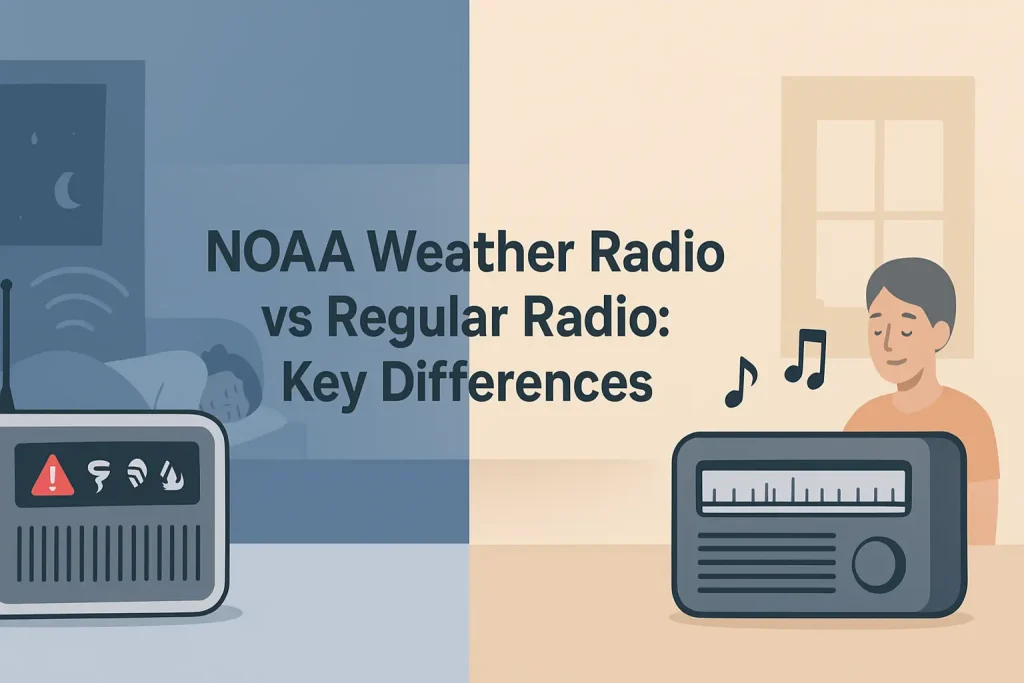
That alarming sound from your weather radio at 2 a.m. is not random noise. The 1050 Hz tone alert is a federally standardized audio signal broadcast by NOAA’s Weather Radio All Hazards network to force your radio’s speaker open, even when the squelch is closed, so you hear life-safety warnings while you sleep.
Understanding exactly what triggers this tone, how long it lasts, and why it sounds different from the standard alert tone can help you respond faster and avoid the one mistake that gets people killed: sleeping through a warning because they silenced their radio.
| Photo | Popular Portable Walkie Talkies | Price |
|---|---|---|
 | SKIWARRIOR Multifunctional Smart Wireless Ski Goggles with Walkie-Talkie, Anti-Fog Zeiss Lens, Music & Call Function (Cylindrical Blue) | Check Price On Amazon |
 | SINORISE Super Mini Walkie Talkies, Two-Way Radios, 3 Pack | Up to 12 Hours Battery Life, for Baseball Coaches, Restaurants, Retail Stores, Hospitals, Outdoor Sports & Travel | Check Price On Amazon |
 | KOSPET Tank M4C Smart Watch Rugged, Dual-Band GPS, 5ATM & IP69K Waterproof | 1.96" AMOLED Display, 170+ Sport Modes, Built-in LED Flashlight/Walkie-Talkie, Heart Rate/Sleep Monitor for Android & iPhone | Check Price On Amazon |
 | Retevis RT15 Walkie Talkies 3 Pack, Birthday Gift, Outdoor Adventure Kit | Durable, Lightweight, VOX, Key Lock, Mini Walkie Talkies for Adults, School Family Outdoor Travel Camping Hiking | Check Price On Amazon |
 | Rechargeable Walkie Talkies Toys for Kids: DIY Astronaut Walkie Talkies for Boys Christmas Birthday Gifts for 3 4 5 6 7 8 9 10 Boy Walkie Talkie Outdoor Hiking Toy 2 Way Radio Camping Outdoor Game | Check Price On Amazon |
By the Numbers
NOAA Weather Radio Tone Alert: Key Specifications and Standards
Sources: FCC Part 11, NOAA NWR Technical Documentation, EAS Operating Handbook
What Is the 1050 Hz Tone Alert on a Weather Radio?
The 1050 Hz Tone Alert is a single-frequency audio signal broadcast by NOAA Weather Radio All Hazards (NWR) transmitters to wake up weather radio receivers that are in standby or alert mode. It plays for 8 to 25 seconds before any Emergency Alert System (EAS) header data or voice message is transmitted.
The tone activates a dedicated hardware circuit inside your weather radio called the Tone Alert decoder. This circuit listens continuously on the programmed NOAA frequency, even when the speaker is silent, and triggers the alarm sound only when it detects that specific 1050 Hz signal.
According to NOAA NWR technical documentation, the 1050 Hz frequency was chosen because it sits in a range that most inexpensive piezoelectric buzzers and speaker amplifier circuits can reproduce cleanly without distortion. It is also distinct enough from human speech frequencies (85 Hz to 255 Hz for fundamentals, up to about 8,000 Hz for harmonics) to be clearly identifiable by the receiver’s hardware filter.
The tone is not a suggestion. It is an activation command embedded in the broadcast signal, designed to override whatever state your radio is in and force audio output at maximum volume regardless of your volume setting in some radio models.
Think of it as a remote alarm trigger: NOAA pushes the 1050 Hz signal, your radio hears it on the assigned NWR channel, and the alarm activates before you ever hear a word about what the emergency is.
Section summary: The 1050 Hz Tone Alert is a hardware activation signal, not just an audio alarm. Your radio is designed to respond to this specific frequency automatically, even while in standby.
How Does the 1050 Hz Alarm Differ from the EAS Attention Signal?
The 1050 Hz NOAA Tone Alert and the EAS Attention Signal are two separate sounds with two different functions. The 1050 Hz tone activates your weather radio’s alert hardware. The EAS Attention Signal, a two-tone combination at 853 Hz and 960 Hz played simultaneously, is what you hear on broadcast television and commercial radio stations to get a listener’s attention before an emergency announcement.
NOAA weather radios use the 1050 Hz tone exclusively. Commercial broadcast stations use the 853/960 Hz two-tone EAS signal. Your weather radio is not designed to respond to the 853/960 Hz pair the same way it responds to 1050 Hz.
According to the FCC Part 11 EAS Rules and the NOAA EAS Operating Handbook, the sequence for a NOAA Weather Radio alert works in this order: first the 1050 Hz Tone Alert plays to wake the receiver, then the digital EAS header codes (called SAME codes) are transmitted at 1050 baud, and then the voice message follows. The two-tone 853/960 Hz signal is part of the broadcast EAS system used by television and AM/FM stations, not the NWR direct broadcast system.
This distinction matters if you are trying to diagnose why your radio is or is not alarming. A weather radio that hears the EAS two-tone signal on a TV broadcast will not automatically alarm the same way it does when it hears the 1050 Hz NWR tone. The activation paths are different by design.

Some combination scanner and weather radio units (like the Uniden Bearcat scanner with weather alert) can monitor multiple signal types, but the hardware alarm trigger for the NOAA standby function is always the 1050 Hz tone, not the EAS two-tone pair.
Section summary: Do not confuse the 1050 Hz weather radio activation tone with the 853/960 Hz EAS two-tone signal used on broadcast TV and radio. They serve different purposes and activate different hardware circuits.
What Events Trigger the 1050 Hz Tone Alert?
NOAA NWR transmitters broadcast the 1050 Hz Tone Alert before any message classified as a warning, watch, or emergency for life-threatening hazards. Not every weather advisory triggers the alarm tone. The distinction between which events activate the tone and which do not is one of the most important things to understand about your weather radio.
According to NOAA NWR documentation, the 1050 Hz Tone Alert is broadcast before these event types:
- Tornado Warning: Confirmed tornado on the ground or indicated by radar. This is the most time-critical alert that triggers the tone.
- Severe Thunderstorm Warning: Thunderstorm capable of producing winds at or above 58 mph or hail at or above 1 inch in diameter.
- Flash Flood Warning: Flash flooding is occurring, imminent, or highly likely in the specified area.
- Hurricane Warning: Sustained winds of 74 mph or higher are expected within 36 hours in the specified coastal area.
- Tropical Storm Warning: Tropical storm conditions expected within 36 hours.
- Extreme Wind Warning: Dangerously high winds associated with a rapidly intensifying hurricane or other event expected within the hour.
- Tsunami Warning: Destructive tsunami waves expected to arrive within a specified timeframe.
- Civil Emergency Message: A non-weather emergency from a local civil authority, such as a chemical spill, gas main rupture, or active threat.
- AMBER Alert: Child abduction alert activated by law enforcement through the EAS/IPAWS system.
- National Information Center message: A message of national significance requiring immediate public awareness.
- Required Monthly Test (RMT): A scheduled test broadcast that includes the full 1050 Hz tone to verify the alert system is functioning correctly.
Events that do NOT routinely trigger the 1050 Hz tone in all configurations include weather watches (conditions are favorable for severe weather but it has not started), weather advisories, and hazardous weather outlooks. These are lower-priority messages that some radios will announce in a different way, and some will not announce at all depending on your SAME code programming.
The key rule: a warning means the event is happening or is imminent, and the 1050 Hz tone fires. A watch means conditions exist for the event to happen. Many radios, even well-programmed ones, handle watches differently than warnings.
The Midland WR400 weather alert radio allows you to program which of the 25 NOAA alert event types will trigger its alarm, so you can choose to receive the 1050 Hz activation for warnings only, or include watches as well.
Section summary: The 1050 Hz Tone Alert fires for life-threatening warnings and emergencies, not for every weather advisory. Knowing this distinction helps you understand why your radio alarms for some events and not others.
How the 1050 Hz Tone Works with S.A.M.E. Technology
S.A.M.E. (Specific Area Message Encoding) is the digital filtering system built into most modern weather radios that lets the radio decide whether the alert broadcast is relevant to your location before sounding the alarm. The 1050 Hz Tone Alert and S.A.M.E. technology work together as a two-stage system: the tone activates the radio’s receiver, and the S.A.M.E. header codes tell the radio whether to pass the alarm through to your speaker or stay silent.
This happens because NWR transmitters cover large geographic areas, often spanning multiple counties or an entire state broadcast region. Without S.A.M.E. filtering, a weather radio in suburban Chicago would alarm for every tornado warning in every Illinois county, including ones 200 miles away with no relevance to your location.
The process works in this sequence: the 1050 Hz tone plays to activate the radio’s hardware decoder, then the SAME header codes are sent as a digital data burst at 1050 baud using a protocol called AFSK (Audio Frequency Shift Keying) at 1200 Hz and 2200 Hz. The radio reads those header codes, checks them against your programmed FIPS (Federal Information Processing Standard) county codes, and only sounds the audible alarm if your county is included in the alert.
If your county is not in the alert, most S.A.M.E.-equipped radios will simply return to standby silently after reading the header codes, even though the 1050 Hz tone was broadcast. The radio heard the tone, read the data, and determined the alert was not for you.
This is why a weather radio without S.A.M.E. technology is a problem in many areas. It will sound an alarm for every 1050 Hz tone broadcast in your NWR coverage zone, including alerts for counties in neighboring states if your transmitter covers a wide area. If you want to understand the specific 6-digit FIPS codes used to filter alerts by county, the complete database of SAME codes for every US county covers every code currently in use.
Key Specifications for S.A.M.E. alert filtering in a quality weather radio:
- FIPS code format: 6-digit code (state + county FIPS number)
- Programmable locations: 5 to 50 county codes depending on radio model
- SAME data rate: 1050 baud AFSK
- SAME encoding frequencies: 1200 Hz (mark) and 2200 Hz (space)
- Header repetition: Each EAS header is sent three times for error correction
If you want a deeper explanation of what S.A.M.E. technology is and how the entire NOAA filtering system was designed, the guide on how SAME weather radio encoding protects your household from alert fatigue explains the origin and mechanics of the system.
Section summary: The 1050 Hz tone activates your radio’s hardware, but S.A.M.E. codes determine whether the audible alarm actually sounds. Without S.A.M.E. programming, your radio will alarm for every county in the broadcast zone.
Why Does the 1050 Hz Tone Sound Different on Some Weather Radios?
The 1050 Hz tone itself is standardized by NOAA, but the alarm sound your weather radio produces in response to that tone varies by manufacturer and model. NOAA transmits a clean 1050 Hz sine wave. Your radio’s internal alarm circuit converts that incoming tone detection into whatever audio output the manufacturer programmed into the device’s speaker system.
Some radios reproduce the 1050 Hz tone directly through the speaker at high volume. Others trigger a separate internal alarm buzzer that is completely different in pitch. Some models play a repeating beep pattern. Some play a warbling siren. The result is that two people with different weather radio models in the same room may hear completely different alarm sounds in response to the exact same NOAA broadcast.
The Uniden BC365CRS weather clock radio produces a loud buzzing alarm when the 1050 Hz tone is detected. The Sangean CL-100 table-top weather radio produces a warbling siren. Both are responding to the same incoming 1050 Hz signal from the same NOAA transmitter.
What this means practically: do not diagnose your weather radio as malfunctioning just because it does not make a 1050 Hz tone sound. The alarm that wakes you up is your radio’s interpretation of the incoming activation signal, not a direct reproduction of the broadcast tone.
There is one important exception. During the 8 to 25 seconds that the 1050 Hz tone is being broadcast, if your radio is in receive mode (not standby), you will actually hear the 1050 Hz tone directly through the speaker as a continuous, steady pitch. If you are listening to your weather radio during an event and you hear that flat, single-pitch tone before the EAS header and voice message, that is the raw 1050 Hz broadcast signal you are hearing in real time.
Section summary: The 1050 Hz tone from NOAA is standardized, but the alarm your radio produces when it detects that tone depends entirely on the manufacturer’s design. Expect variation between radio models.
What Happens After the 1050 Hz Tone: The Complete Alert Sequence
Understanding the full sequence of a NOAA weather radio alert helps you know what to do during each phase and why the system is structured the way it is. The alert is not just a tone followed by a voice. It is a structured multi-part transmission designed so that even automated systems and hardware decoders can act on the information before any human hears a word.
Here is the complete sequence of a NOAA NWR alert broadcast, according to the NOAA EAS Operating Handbook and FCC Part 11:
- 1050 Hz Tone Alert (8-25 seconds): The activation signal. Your weather radio detects this frequency and triggers the alarm hardware. This wakes you up and activates any S.A.M.E. decoder waiting for the next step.
- EAS Header Codes (SAME data burst): Immediately after the tone, the NWR transmitter sends the SAME digital header three times. Each header transmission contains the originator code, the event code, the FIPS location codes, the purge time (how long the alert is valid), and the issue time. Your radio reads these codes and decides whether your county is in the alert area.
- Voice Message: The human-readable or computer-synthesized voice message describing the event, the affected area, the expected duration, and any safety instructions. NOAA NWR uses a computer voice system called “Paul” or “Donna” for automated messages, though some local weather forecast offices record messages in a human voice for extreme events.
- End of Message (EOM) Codes: After the voice message, a digital EOM signal is transmitted to tell compatible hardware that the alert is complete. Some weather radios use this signal to automatically silence the alarm and return to standby.
The entire sequence, from the first 1050 Hz tone to the EOM signal, typically runs between 1 and 4 minutes for a standard warning. Tornado warnings are often shorter and more urgent in tone. Civil Emergency Messages can run longer.
Your weather radio’s alert memory function (available on models like the Midland WR120 weather alert radio) records the event code and time of the last alert so you can review what type of event triggered the alarm even if you slept through the voice message.
This is why alert memory matters: the 1050 Hz tone may have woken you, but if you silenced the alarm before hearing the full voice message, you need to know whether that alert was a Tornado Warning or a Required Monthly Test.
Section summary: The 1050 Hz tone is the first of four distinct broadcast components. After the tone comes the digital SAME header, then the voice message, then the End of Message signal. Understanding the sequence tells you what your radio is doing at each stage.
How to Test Whether Your Weather Radio Is Responding to the 1050 Hz Tone Correctly
A weather radio that does not respond to the 1050 Hz Tone Alert during a real emergency is not a weather radio. It is a paperweight with a speaker. NOAA broadcasts two types of scheduled tests specifically so you can verify your radio is functioning: the Required Weekly Test (RWT) and the Required Monthly Test (RMT). Only the RMT includes the full 1050 Hz Tone Alert followed by the complete SAME header and voice message.
The RMT is typically broadcast on the first Wednesday of each month between 11 a.m. and noon local time, though the exact schedule varies by NWR station. According to NOAA NWR documentation, the RMT must include the Tone Alert, the full EAS header, a test message, and the EOM signal, making it the only reliable way to test your radio’s full alarm response without waiting for an actual emergency.
Follow these steps to verify your weather radio is responding correctly:
- Set the radio to the correct NOAA frequency for your area. The seven NWR frequencies are 162.400 MHz, 162.425 MHz, 162.450 MHz, 162.475 MHz, 162.500 MHz, 162.525 MHz, and 162.550 MHz. Check which NOAA weather radio frequency covers your specific location and is strongest at your address.
- Enable the SAME alert mode. Make sure your radio is in alert standby mode, not just powered on and listening. The standby mode is what activates the 1050 Hz Tone Alert detection circuit.
- Program your county FIPS code. If your radio has S.A.M.E. capability, program your county code before the RMT. The RMT includes SAME headers covering your county, and if your code is not programmed correctly, the alarm will not sound even during a legitimate test.
- Wait for the RMT broadcast. Your radio should alarm loudly with its full alarm sound when the 1050 Hz tone is detected. The voice message will identify it as a test.
- Check the alert memory after the test. Verify the radio recorded the event code correctly. This confirms the SAME decoder read the header data successfully.
If your radio does not alarm during the RMT, check these three things in order: first, confirm you are receiving the correct NWR frequency clearly (poor signal will prevent the tone from being detected); second, confirm the radio is in alert standby mode and not just in manual listen mode; third, if you have S.A.M.E. programmed, confirm the FIPS code is correct for your county.
If all three are correct and the radio still does not alarm, the hardware may be faulty. The 1050 Hz tone decoder is a dedicated circuit. If it fails, the radio will not alarm in a real emergency regardless of signal strength. Replace the radio.
For a complete walkthrough of setting up a weather radio from unboxing to first test, the guide on setting up and programming a weather radio for reliable emergency alerts covers every step including frequency selection, SAME code entry, and alert mode configuration.
Section summary: Test your weather radio’s 1050 Hz response during the monthly RMT broadcast. If it does not alarm, diagnose signal strength, standby mode setting, and SAME code programming before concluding the hardware has failed.
Common Reasons the 1050 Hz Tone Alert Fails to Wake Your Weather Radio
The 1050 Hz tone alert system is reliable when the radio is set up correctly and positioned well. Most alarm failures trace back to one of four conditions: the radio is not in alert standby mode, the NWR signal is too weak for the tone decoder to trigger, the SAME codes are programmed incorrectly and filtering out legitimate alerts, or the radio’s hardware has failed.
Here are the most common failure scenarios and how to fix each one:
Failure 1: Radio is in manual listen mode, not standby alert mode. This is the most common cause of missed alerts. Many weather radios have two operating states: a manual listen mode (where you can hear the continuous NOAA broadcast like a radio station) and an alert standby mode (where the speaker is silent but the 1050 Hz decoder is active). If your radio is in manual listen mode, the hardware alarm trigger is typically disabled. The fix: confirm your radio shows an alert or standby indicator, usually a light or icon on the display.
Failure 2: Weak NWR signal at your location. The 1050 Hz tone decoder requires a minimum signal strength to activate. If your NWR signal is marginal, the radio may receive the voice broadcasts clearly enough to hear by ear but not cleanly enough for the hardware tone decoder to register the signal. The fix: try a different NWR frequency (some stations overlap in coverage areas), reposition the radio closer to a window facing the nearest transmitter, or add an external antenna. The external antenna jack on many desktop weather radios allows connection to a rooftop whip antenna that dramatically improves marginal signal reception.
Failure 3: SAME codes programmed incorrectly. If you entered the wrong FIPS code, a neighboring county’s code instead of your own, or no code at all, the radio may either alarm for events in the wrong area or not alarm for events in your actual county. The fix: look up your correct 6-digit FIPS code and re-enter it. Most counties in the US have unique FIPS codes, and entering an adjacent county’s code by one digit off will cause the radio to filter out your county’s alerts entirely.
Failure 4: Battery backup not maintaining circuit power. If your weather radio runs on AC power with a battery backup, a dead or missing backup battery means the radio loses power during the outages that most commonly accompany severe weather events. The 1050 Hz decoder circuit cannot run without power. The fix: replace the backup batteries on a regular schedule. The backup AA alkaline batteries in most desktop weather radios should be replaced at least once per year, or immediately after any prolonged power outage that drew down the backup supply.
Failure 5: Volume set to zero overrides the alarm on some models. Some lower-cost weather radios do not properly override the volume control during the alarm trigger. If you turned the volume to zero and the radio does not automatically switch to maximum alarm volume when the 1050 Hz tone is detected, you will sleep through the alarm even though the radio technically activated. Check your radio’s manual to confirm whether its alarm overrides the volume control. If it does not, keep the radio at an audible volume level at all times when in standby.
Section summary: Most 1050 Hz tone detection failures are fixable without replacing the radio. Check standby mode, signal strength, SAME codes, battery backup, and volume behavior in that order before concluding the hardware is faulty.
Choosing a Weather Radio That Responds Reliably to the 1050 Hz Tone Alert
Not all weather radios handle the 1050 Hz Tone Alert equally. The hardware tone decoder, the SAME chip, the antenna sensitivity, and the alarm output volume all vary significantly between models and price points. A radio that looks identical to a reliable model on the shelf may have a cheaper tone decoder that misses marginal signals or a lower-sensitivity tuner that cannot lock onto weaker NWR transmissions.
Use the table below to compare key alarm-response features across common weather radio categories.
| Feature | Basic (No SAME) | Mid-Range (SAME) | Premium (SAME + Features) |
|---|---|---|---|
| 1050 Hz tone detection | Yes | Yes | Yes |
| SAME county filtering | No | Yes (5-25 codes) | Yes (25-50 codes) |
| Alert type selection | No | Limited | All 25 event types |
| Battery backup | Some models | Yes (AA batteries) | Yes (AA or rechargeable) |
| Alarm volume override | Varies | Usually yes | Yes |
| Alert memory | No | Last alert | Multiple alerts |
| External antenna jack | Rarely | Some models | Often yes |
| Typical price range | $15-30 | $30-60 | $60-120 |
The minimum acceptable configuration for a household weather radio used for overnight protection is: SAME county filtering, battery backup, and alarm volume that overrides the volume control. A basic radio without SAME will alarm for every county in your broadcast zone, which in many regions means dozens of false alarms per storm season. That alarm fatigue is what causes people to silence their radios permanently, which defeats the entire purpose of the system.
Recommended models that reliably handle the 1050 Hz tone alert with SAME filtering include the Midland WR400, which programs up to 50 SAME location codes and allows individual alert event selection across all 25 NOAA event types. The Uniden BC355N is a solid mid-range option with SAME filtering and a clear alarm response at a lower price point.
For hurricane season preparation specifically, the guide on weather radios engineered for hurricane-season reliability and extended power outage use covers models with the best signal sensitivity and backup power for coastal and Gulf Coast conditions.
If you want a comprehensive review of the top-rated models across all categories, the guide covering the highest-rated NOAA weather radios tested for sensitivity, SAME accuracy, and alarm performance compares the leading options side by side.
Section summary: The hardware tone detector is only one piece. For overnight protection, you need SAME filtering, battery backup, and a confirmed alarm volume override. Budget radios without these features will either alarm too often or fail you when it counts.
The 1050 Hz Tone Alert in Hand-Crank and Portable Weather Radios
Portable, hand-crank, and solar-powered weather radios present a specific challenge for 1050 Hz tone alert reliability. Most portable weather radios are designed for emergency kit use, camping, and power-outage scenarios, but many of them sacrifice the hardware tone decoder sensitivity that desktop units include in order to reduce size and cost.
The core issue: a hand-crank or battery-powered portable radio that can receive NOAA broadcasts for casual listening is not automatically capable of operating in full standby alert mode. Some portable units have a dedicated alert mode with a functional 1050 Hz decoder. Others are essentially AM/FM/NOAA receivers that require you to manually tune to a NOAA channel and listen, with no automatic alert triggering at all.
Before purchasing a portable weather radio for emergency preparedness, confirm these three things:
- Does it have a dedicated alert standby mode (not just NOAA receive capability)?
- Does the standby mode activate on battery or hand-crank power, not just AC power?
- Does it have SAME filtering, or will it alarm for the entire broadcast coverage zone?
The Midland ER310 emergency hand-crank weather radio includes a functional SAME-enabled alert mode that operates on its internal rechargeable battery, making it one of the few portable units that genuinely works as a standby alert radio, not just a manual NOAA receiver. The Kaito KA500 emergency radio covers NOAA frequencies but has more limited SAME alert capability and is best used as a manual listening device rather than a primary overnight alert system.
For households in tornado-prone or hurricane-prone regions, the recommendation is a dedicated desktop weather radio for the bedroom (where overnight alert triggering matters most) and a portable hand-crank radio in your emergency kit for use after a power outage. These two radios serve different functions and should not be expected to replace each other.
The general guide on how the NOAA Weather Radio All Hazards network is structured and funded explains the transmitter network and why coverage varies between urban and rural areas, which directly affects how well any portable radio can receive the 1050 Hz tone in remote locations.
Section summary: Not all portable weather radios have functional standby alert modes. Confirm the unit has a SAME-enabled alert standby before counting on it for overnight protection during severe weather.
Quick Reference: Key Weather Radio Alert Terms
These terms appear throughout discussions of the 1050 Hz Tone Alert system. Each definition is written for a reader encountering the term for the first time.
1050 Hz Tone Alert: A single-frequency audio signal broadcast by NOAA NWR transmitters to activate the alarm hardware in weather radio receivers before an emergency message.
EAS (Emergency Alert System): The national public warning system used by NOAA, broadcast television, and AM/FM radio stations to deliver emergency alerts to the public. The NWR is part of EAS.
SAME (Specific Area Message Encoding): A digital filtering protocol built into weather radio hardware that reads location codes embedded in each alert broadcast and only triggers the alarm if your county is included in the alert area.
FIPS code: A 6-digit Federal Information Processing Standard code that identifies a specific county or geographic area. Used in SAME headers to specify which areas an alert covers.
NWR (NOAA Weather Radio All Hazards): The network of over 1,000 radio transmitters operated by NOAA that broadcast continuous weather and emergency information 24 hours a day on seven VHF frequencies between 162.400 and 162.550 MHz.
EAS Header: The digital data burst sent immediately after the 1050 Hz tone that contains the alert type, affected areas (FIPS codes), alert duration, and issue time. Read by SAME-equipped radios to determine relevance.
Required Monthly Test (RMT): A scheduled test broadcast by NOAA that includes the full 1050 Hz Tone Alert, complete EAS header, a recorded test message, and End of Message codes. The only way to test your radio’s full alert response without waiting for a real emergency.
Required Weekly Test (RWT): A shorter scheduled test broadcast by NOAA that does not include the 1050 Hz Tone Alert. Some radios will display a message but will not alarm audibly during an RWT.
Standby Alert Mode: The operating state of a weather radio in which the speaker is silent but the 1050 Hz tone decoder circuit is active and monitoring the programmed NWR frequency continuously.
EOM (End of Message): The digital signal transmitted at the conclusion of an EAS alert broadcast that tells compatible receivers the alert is complete. Some weather radios use this signal to automatically silence the alarm and return to standby.
AFSK (Audio Frequency Shift Keying): The digital modulation method used to transmit SAME header data. The system uses 1200 Hz and 2200 Hz audio tones to encode binary data at 1050 baud.
Alert Memory: A feature in many weather radios that records the event code, time, and date of the last received alert so you can review what triggered the alarm after the fact.
Is There Any Danger from the 1050 Hz Tone Itself?
The 1050 Hz tone as broadcast by NOAA is a standard audio signal at normal radio transmission power levels and poses no health risk to humans. The potential harm from the system is indirect: a weather radio placed next to a sleeping person and programmed correctly will sound an alarm loud enough to wake them. That alarm volume, typically 85 to 95 decibels at close range on quality desktop units, is necessary for the system to work at night and is not harmful during the brief seconds of alarm activation.
The concern some people raise about the alarm tone relates to startle response, particularly for children and light sleepers. The alarm is designed to be jarring. That is its function. For households with infants, very young children, or individuals with anxiety disorders triggered by sudden loud sounds, the practical approach is to position the weather radio in a central hallway or adjacent room where the alarm can still be heard but the volume impact at the bedside is reduced.
There is one population consideration worth noting: individuals who are deaf or hard of hearing will not be awakened by any audio alarm regardless of volume. Weather radios with bed shaker outputs (a vibration pad placed under a mattress or pillow) and strobe light outputs are designed specifically for this situation. The weather radio with bed shaker attachment for hearing-impaired users uses the same 1050 Hz tone detection hardware but converts the alarm trigger to physical vibration and visual flash instead of audio.
The 1050 Hz tone trigger itself requires no special RF exposure warnings. NWR transmitters operate at 1,000 watts ERP (Effective Radiated Power) from broadcast tower locations, but the signal reaching your home is at normal VHF reception levels, no different from a standard FM radio broadcast.
Section summary: The 1050 Hz tone itself is safe. The loud alarm it activates is intentional and necessary. For hearing-impaired users, bed shaker and strobe-enabled weather radios use the same tone detection hardware with non-audio alert outputs.
Here is a concise overview of the weather radio alert tone system to help you confirm your own radio is configured correctly and responding as designed.
Does the 1050 Hz Tone Alert Work if My Weather Radio Is Plugged into an Outlet but Powered Off?
No. A weather radio that is powered off does not have an active 1050 Hz tone decoder circuit and will not alarm for any event. The standby alert mode requires the radio to be powered on and in alert mode. Plugged in but powered off means the tone decoder is completely inactive.
Most desktop weather radios with SAME capability draw very little current in standby alert mode, typically under 500 milliamps, so leaving them continuously powered in alert standby does not meaningfully affect your electricity bill. The radio is designed to run continuously in this state. Treat it like a smoke detector: it should always be on.
Can I Set My Weather Radio to Only Alarm for Tornado Warnings and Ignore Everything Else?
Yes, if your radio has programmable alert type selection. Most mid-range and premium S.A.M.E. weather radios allow you to select which of the 25 NOAA event types will trigger the audible alarm. You can configure the radio to alarm only for Tornado Warnings and stay silent for Severe Thunderstorm Watches, Hazardous Weather Outlooks, and non-urgent advisories.
The Midland WR400 and similar premium models allow individual event-type selection across all 25 NOAA alert categories. This programmability is one of the main reasons to choose a premium model over a basic one, because alert fatigue from irrelevant alarms is the primary reason people disable their weather radios entirely.
Why Does My Weather Radio Alarm During Clear Weather with No Storm in My Area?
This happens for two reasons. The most common cause is incorrect or missing SAME code programming. If your radio has no SAME county code programmed, it alarms for every 1050 Hz tone broadcast in your NWR coverage zone, which may cover dozens of counties across two or three states. One storm system in a neighboring state can trigger multiple alarms at your location even when your sky is completely clear.
The second cause is that the alert being broadcast is a non-weather emergency, such as a Civil Emergency Message, AMBER Alert, or National Information Center message, which triggers the 1050 Hz tone for the entire broadcast zone regardless of local weather conditions. Program your correct county FIPS code to eliminate most of these spurious alarms, but understand that some event types will still broadcast zone-wide by design.
What Is the Difference Between a Weather Watch Alert and a Weather Warning Alert on My Radio?
A weather watch means conditions are favorable for a severe weather event to develop in the specified area. A weather warning means the event is occurring or is imminent based on confirmed radar data or a spotter report. The 1050 Hz Tone Alert fires before warnings (and some other high-priority messages) in the default configuration of most weather radios.
Watches may or may not trigger your radio’s full alarm depending on how your radio is configured and which event types you have enabled. If you want to be alerted for both watches and warnings, confirm that watch event types are enabled in your radio’s alert type settings. If you want to sleep through watches and only be awakened for warnings, disable watch event types. This is a programmable choice on SAME-capable radios with alert type selection.
How Long Does the 1050 Hz Tone Play Before the Voice Message Starts?
The 1050 Hz Tone Alert plays for 8 to 25 seconds on NOAA NWR broadcasts, according to NOAA EAS Operating Handbook specifications. Immediately after the tone ends, the digital EAS SAME header codes are transmitted three times in sequence. The voice message begins after the third transmission of the header codes.
In practice, the time from the start of the 1050 Hz tone to the first word of the voice message is typically 20 to 45 seconds. This window is intentional: the tone wakes you up, the SAME header gives your radio time to read the location data, and by the time the voice message starts you are awake and able to process what is being said. If your radio alarms and then goes silent before any voice message, either the SAME decoder filtered out the alert as irrelevant to your county, or the NWR signal was lost before the voice portion transmitted.
Do All Seven NOAA Weather Radio Frequencies Use the 1050 Hz Tone Alert?
Yes. All seven NOAA NWR broadcast frequencies (162.400 MHz, 162.425 MHz, 162.450 MHz, 162.475 MHz, 162.500 MHz, 162.525 MHz, and 162.550 MHz) use the same 1050 Hz Tone Alert system and the same SAME header protocol. The frequency you receive depends on which NWR transmitter is strongest at your location. The alert tone behavior is identical across all seven frequencies.
Some geographic areas are covered by more than one NWR transmitter on different frequencies, and a severe weather event may trigger simultaneous broadcasts on multiple frequencies. Your radio will only alarm once because it monitors a single programmed frequency at a time. If you want to monitor a backup frequency, some dual-channel weather radios and scanner units with weather alert capability can monitor multiple NWR channels simultaneously, though this is not a feature of standard dedicated weather radios.
Can My Smartphone Replace My Weather Radio for the 1050 Hz Alert System?
No. Smartphones receive Wireless Emergency Alerts (WEA) through the cellular network, not through NOAA’s VHF radio broadcast system. WEA alerts (the loud Presidential, AMBER, and Extreme Alert tones on your phone) use a completely different transmission path that depends on cell tower connectivity, which is often disrupted during severe weather events due to power outages at towers or network congestion from simultaneous call volume.
NOAA Weather Radio broadcasts on VHF frequencies between 162.400 and 162.550 MHz operate independently of the cellular network and continue to function during power outages because NWR transmitters have backup power systems. A weather radio with battery backup will alert you when your cell signal is gone, your internet is down, and your phone’s WEA system cannot reach you. These two systems are complementary, not interchangeable. Use both.
Is the 1050 Hz Tone Alert Used for Non-Weather Emergencies?
Yes. The 1050 Hz Tone Alert precedes all emergency messages broadcast on NOAA Weather Radio All Hazards, not only weather events. Civil Emergency Messages (issued by local authorities for non-weather public safety events), AMBER Alerts (child abduction emergencies), Hazardous Materials Warnings, and National Information Center messages all use the same 1050 Hz tone activation before the EAS header and voice message.
This is by design. The NWR network is the “all hazards” public warning infrastructure, not just a weather service. A chemical plant explosion, a major dam breach, or a terrorism event in your county can trigger the 1050 Hz alarm on your weather radio even on a clear, calm day. If your radio alarms and the voice message describes a non-weather event, the system is working exactly as intended.
Why Does My New Weather Radio Alarm Every Wednesday Morning?
Your radio is alarming for the Required Weekly Test (RWT) broadcast by your local NOAA NWR transmitter. The RWT is typically scheduled on Wednesdays between 11 a.m. and noon local time, though individual stations may vary. The RWT does not include the full 1050 Hz Tone Alert in its complete form, but some weather radio models do still trigger an audible alert notification for the RWT event code.
If Wednesday morning alerts are disruptive and you want to disable them, check whether your radio’s alert type settings allow you to disable the RWT event code specifically while keeping all warning event types active. Many S.A.M.E.-capable radios allow this. Do not disable the Required Monthly Test (RMT) alarm, because the RMT is the only way to verify your radio’s full 1050 Hz response is working correctly each month. For more details on configuring these settings correctly, the guide on programming alert types and test schedules on SAME weather radios explains the event code configuration for most common models.
What Should I Do Immediately After the 1050 Hz Alarm Wakes Me Up?
Do not silence the radio before you have heard enough of the voice message to identify the event type and affected area. The first thing to do when the alarm wakes you is listen. The voice message will tell you the event type (Tornado Warning, Flash Flood Warning, etc.), the affected counties, the expected duration of the event, and any recommended actions such as shelter in place or evacuation.
After you know what the event is and whether your immediate location is in the affected area, then act on that information. For Tornado Warnings, move immediately to your lowest interior room or basement before the voice message is finished if the warning covers your area. For Flash Flood Warnings, avoid low-lying areas and do not attempt to cross flowing water. Knowing the event type in the first 15 seconds of the voice message is the difference between having time to act and being caught mid-response. The 1050 Hz tone gives you that window. Use it to listen before you move.
The NOAA Weather Radio All Hazards network broadcasts on the same seven VHF frequencies 24 hours a day, 365 days a year. The 1050 Hz tone is the single most important sound that network produces, and a correctly configured weather radio that responds to it reliably is one of the most effective life-safety devices you can put in your home. Keep it powered, keep the SAME codes current, and test it against the monthly RMT to confirm it will do its job when conditions make everything else unreliable.
A weather radio that stays in standby, responds to the 1050 Hz tone without fail, and filters alerts to your county with accurate SAME codes is the foundation of any household emergency communication plan. The three-step action for every reader: confirm your radio is in alert standby mode tonight, verify your county FIPS code is correctly programmed, and listen for the next Required Monthly Test to confirm the hardware alarm circuit is working.
| Photo | TOP RATED WALKIE TALKIES | Price |
|---|---|---|
 | Retevis RT628 Kids Walkie Talkies, Toys Gifts for 4-12 Year Old Girl Boy | Kids Camping Essentials Outdoor Toys, Birthday Gift, 22CH, VOX, Keypad Lock, Durable, Easy to Use Walkie Talkies for Kids | Check Price On Amazon |
 | Cobra ACXT545 Weather-Resistant Walkie Talkies, Rechargeable, 22 Channels | Long Range 28-Mile Two-Way Radio Set (2-Pack) | Check Price On Amazon |
 | Retevis RT388 Kids Walkie Talkies, Outdoor Toys for Kids Camping Essentials | 4-12 Year Old Boy Birthday Gift, 22 CH VOX Flashlight Clear Sound, Kids Walkie Talkies 2 Pack for Camping Hiking Adventure | Check Price On Amazon |
 | Cobra RX680 Walkie Talkies (2-Pack), IP54 Water Resistant Design | Rugged & Splashproof Two Way Radios Long Range, 60 Pre-Programmed Channels, Weather Alerts | Check Price On Amazon |
 | Retevis RT22 Walkie Talkies Long Range Rechargeable with Earpiece (2 Pack) | Slim & Lightweight 2 Way Radio For Camping & Hiking, Pocket-Friendly Antenna, Ready to Use, 10-Hour Battery, USB-C Charging | Check Price On Amazon |
 | Midland GXT1000VP4 GMRS Two-Way Radios with Headsets, Black, 2 Pack | 50 Channels, 142 Privacy Codes, Up to 36 Mile Long Range, JIS4 Water Resistant, NOAA Weather Alert, Rechargeable NiMH | Check Price On Amazon |
 | Retevis RT628 Walkie Talkies for Kids,Toys Gifts for 6-12 Years Old Boys Girls,Long Range 2 Way Radio 22CH VOX,Birthday Gift,Family Walkie Talkie for Camping Hiking Indoor Outdoor | Check Price On Amazon |